
Download Kortical – Accelerate AI Development, AutoML Platform
Overview
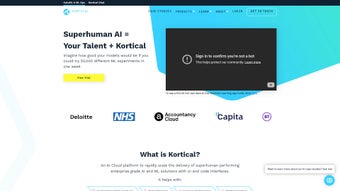
Kortical is a web‑based AutoML platform built to accelerate the entire lifecycle of artificial‑intelligence projects. Designed for data scientists, machine‑learning engineers, and developers, the service blends an intuitive graphical user interface with a powerful code‑first environment, allowing teams to move from raw data to production‑ready models in a fraction of the usual time. Kortical’s core promise is transparency: every automated decision—whether it’s a data‑cleaning step, feature‑engineering transformation, or model‑selection choice—is logged and visualised, giving users full insight into how their AI solutions are constructed.
This focus on explainability makes Kortical a trustworthy choice for regulated industries where model auditability is non‑negotiable. By handling repetitive ML‑Ops tasks such as hyper‑parameter tuning, experiment tracking, and one‑click deployment, Kortical frees up valuable engineering capacity, letting experts concentrate on domain‑specific challenges and strategic innovation. Whether you are building a churn‑prediction engine, a computer‑vision classifier, or a recommendation system, Kortical provides a scalable, secure, and collaborative environment that adapts to the pace of modern business demands.
The platform also offers a free trial period, allowing prospective users to explore the full feature set without commitment, and regular updates ensure that the underlying algorithms stay current with the latest research breakthroughs. In short, Kortical combines the speed of a cloud service with the control of an on‑premise solution, delivering a balanced, enterprise‑ready AI development experience.
Key Features & Capabilities
- Exploratory Data Analysis (EDA): Interactive dashboards let users visualise distributions, correlations, and outliers without writing a single line of code.
- Custom Data Cleaning & Feature Engineering: Drag‑and‑drop pipelines coupled with a built‑in Python editor support both low‑code and advanced scripting workflows.
- AutoML Engine: Automated model selection, hyper‑parameter optimisation, and ensemble creation run on distributed cloud resources, delivering top‑performing models in minutes.
- Model Experimentation Suite: Track dozens of experiments simultaneously, compare metrics side‑by‑side, and revert to any previous version with a single click.
- Explainability & Interpretability: Integrated SHAP and LIME visualisations provide clear, per‑prediction insights, essential for compliance and stakeholder trust.
- One‑Click Deployment: Export models as REST APIs, Docker containers, or serverless functions, and monitor performance in real‑time via built‑in dashboards.
- Collaboration & Version Control: Team members can comment on experiments, share notebooks, and sync code with Git repositories directly from the platform.
- Security & Governance: Role‑based access control, encrypted data storage, and audit logs meet enterprise‑grade security standards.
- Scalable Cloud Infrastructure: Auto‑scaling compute nodes ensure that heavy training jobs complete quickly while keeping costs predictable.
- Extensive Integrations: Connectors for popular data warehouses (Snowflake, BigQuery), data lakes (AWS S3, Azure Blob), and third‑party MLOps tools (MLflow, Kubeflow).
Each feature is crafted to reduce the friction that typically surrounds AI development. For example, the EDA module automatically suggests potential feature transformations based on statistical tests, while the AutoML engine evaluates dozens of algorithms in parallel, surfacing the best candidates with confidence intervals. The platform’s explainability layer not only satisfies regulatory requirements but also empowers product managers to understand why a model behaves a certain way, fostering data‑driven decision‑making across the organisation.
Moreover, Kortical’s one‑click deployment abstracts away the complexity of container orchestration, allowing non‑technical stakeholders to launch AI services directly from the browser. By unifying these capabilities under a single, secure web portal, Kortical eliminates the need for disparate tools, reducing both operational overhead and total cost of ownership. New updates are released quarterly, adding fresh algorithms, performance optimisations, and expanded connector support, so users always benefit from the latest advances without manual patches.
Whether you are a startup looking for a fast‑track to market or an enterprise demanding strict governance, the breadth of Kortical’s feature set makes it a compelling, all‑in‑one AI solution.
Installation, Usage Instructions & Compatibility
Because Kortical is delivered as a fully managed SaaS solution, there is no traditional “download and install” process for the core platform. Users simply sign up at kortical.com, verify their email, and are granted immediate access to a personalised workspace. The onboarding wizard walks new users through the creation of their first project: uploading a dataset, selecting a target variable, and choosing either the visual pipeline builder or the code‑first notebook environment.
For organisations that require on‑premise deployment due to strict data‑privacy policies, Kortical offers a Docker‑based installer that can be run on any Linux server with at least 8 GB RAM and a modern 64‑bit CPU. The Docker image includes all dependencies (Python 3.10, PostgreSQL, Redis) and can be launched with a single docker‑compose up -d command. Detailed documentation provides step‑by‑step guidance for configuring SSL certificates, setting up SSO (SAML, OAuth), and scaling worker nodes via Kubernetes.
The installer is also compatible with Windows Subsystem for Linux (WSL) for developers who prefer a local Windows or macOS development environment while still leveraging the on‑premise engine.
Supported Operating Systems: While the SaaS portal is platform‑agnostic (any device with a modern browser—Chrome, Edge, Firefox, Safari—will work), the on‑premise Docker installer runs on Linux distributions such as Ubuntu 20.04+, CentOS 8+, and Debian 11+. There are also lightweight client agents for Windows 10/11 and macOS 12+ that enable local data preprocessing and secure tunnelling to the Kortical cloud when hybrid workflows are required. Mobile access is limited to the dashboard view via responsive design; full model training and code editing remain desktop‑oriented for performance reasons. The platform is also optimized for tablets running iOS or Android, offering a secure, read‑only view of experiment results and dashboards, which is useful for executives on the go.
After gaining access, the typical workflow consists of three phases: Data Preparation, Model Building, and Deployment. In the Data Preparation phase, users can import CSV, Parquet, or JSON files directly from cloud storage or on‑premise mounts. Kortical automatically profiles the data, suggests missing‑value strategies, and offers one‑click feature scaling.
During Model Building, the AutoML engine can be launched with default settings (recommended for quick prototypes) or fine‑tuned via a YAML configuration that controls search space, early‑stopping criteria, and resource quotas. Finally, the Deployment phase provides a wizard that asks for target environment (REST API, Azure Functions, AWS Lambda) and generates the necessary artefacts—Dockerfile, Helm chart, or serverless package—ready for production. Throughout each step, real‑time logs and interactive visualisations keep users informed, ensuring a transparent and secure AI development experience.
Regular software updates are pushed automatically to the SaaS version, while on‑premise users can pull the latest Docker image with a single docker pull command, guaranteeing that every deployment benefits from security patches and performance improvements.
Pros, Cons, and Frequently Asked Questions
Pros
- Intuitive UI combined with full code access – suitable for both beginners and experts.
- Comprehensive AutoML engine that outperforms many open‑source alternatives.
- Robust model explainability tools (SHAP, LIME) built‑in.
- One‑click deployment to multiple cloud environments reduces time‑to‑market.
- Enterprise‑grade security with role‑based access, audit logs, and encrypted storage.
- Scalable architecture – handles large datasets without manual cluster management.
- Free trial and a limited free tier allow teams to test the platform risk‑free.
- Regular updates keep the platform aligned with the latest ML research.
Cons
- Higher subscription cost compared to community‑driven AutoML libraries.
- On‑premise Docker deployment requires basic DevOps knowledge.
- Limited offline functionality – most features rely on internet connectivity.
- Advanced customisation may still need external tooling for niche algorithms.
- Mobile experience is limited to dashboard viewing, not full model training.
Frequently Asked Questions
Is there a free trial or a free tier for Kortical?
Yes. Kortical offers a 14‑day free trial that includes full access to all AutoML features, unlimited experiments, and one‑click deployment. After the trial, you can choose a paid subscription or continue with a limited free tier that allows up to 5 active projects and basic data‑exploration tools.
Can I export a model trained in Kortical to use elsewhere?
Absolutely. Models can be exported as Pickle files, ONNX, or TensorFlow SavedModel formats. Additionally, Kortical generates Docker images and serverless packages, making it easy to integrate the model into any external application or cloud service.
How does Kortical ensure data privacy and compliance?
All data in transit is encrypted with TLS 1.3, and data at rest is stored using AES‑256 encryption. Role‑based access control, detailed audit logs, and GDPR/CCPA compliance features are built into the platform. For highly regulated environments, the on‑premise Docker deployment keeps all data within the organisation’s firewall.
What programming languages are supported for custom scripting?
Kortical’s code editor currently supports Python 3.10+ with popular ML libraries (scikit‑learn, XGBoost, LightGBM, PyTorch, TensorFlow). Future releases plan to add R and Julia support, but Python remains the primary language for custom pipelines.
How does pricing work for the SaaS version?
Pricing is subscription‑based and tiered by the number of active projects, compute credits, and support level. The “Starter” plan starts at $99 per month for up to 10 projects, the “Professional” plan at $299 per month for unlimited projects and higher compute limits, and an “Enterprise” custom plan that includes dedicated support, on‑premise options, and SLA guarantees.
Is there a way to integrate Kortical with existing CI/CD pipelines?
Yes. Kortical provides RESTful APIs and a CLI tool that can be called from CI/CD systems such as Jenkins, GitLab CI, or GitHub Actions. This enables automated triggering of model training, evaluation, and deployment as part of a continuous delivery workflow.
Conclusion & Call to Action
Kortical stands out in the crowded AutoML market by delivering a balanced mix of ease‑of‑use, deep transparency, and enterprise‑grade scalability. Its web‑centric design means teams can collaborate from anywhere, while the optional on‑premise Docker deployment satisfies strict data‑governance requirements. The platform’s robust feature set—from automated data cleaning to explainable AI and one‑click production deployment—significantly shortens the time it takes to turn raw data into valuable business insights.
Although the subscription cost is higher than some open‑source alternatives, the productivity gains, reduced operational overhead, and built‑in security often justify the investment for medium to large organisations. The free trial and regular software updates further lower the barrier to entry, allowing you to test the platform’s capabilities before committing. If you’re looking to accelerate AI development without sacrificing control or compliance, Kortical is a compelling choice that merges modern cloud convenience with the reliability of on‑premise options.
Ready to experience faster, more transparent AI projects? Start your free trial today and see how Kortical can turn complex machine‑learning pipelines into a few clicks. Download the Docker installer for on‑premise testing, explore the extensive documentation, and join a growing community of data professionals who trust Kortical for secure, scalable, and up‑to‑date AI development.



.png)



